CRM Integration for Call Evaluation: Connect QA to Outcomes
By Track Agent · Published · Updated
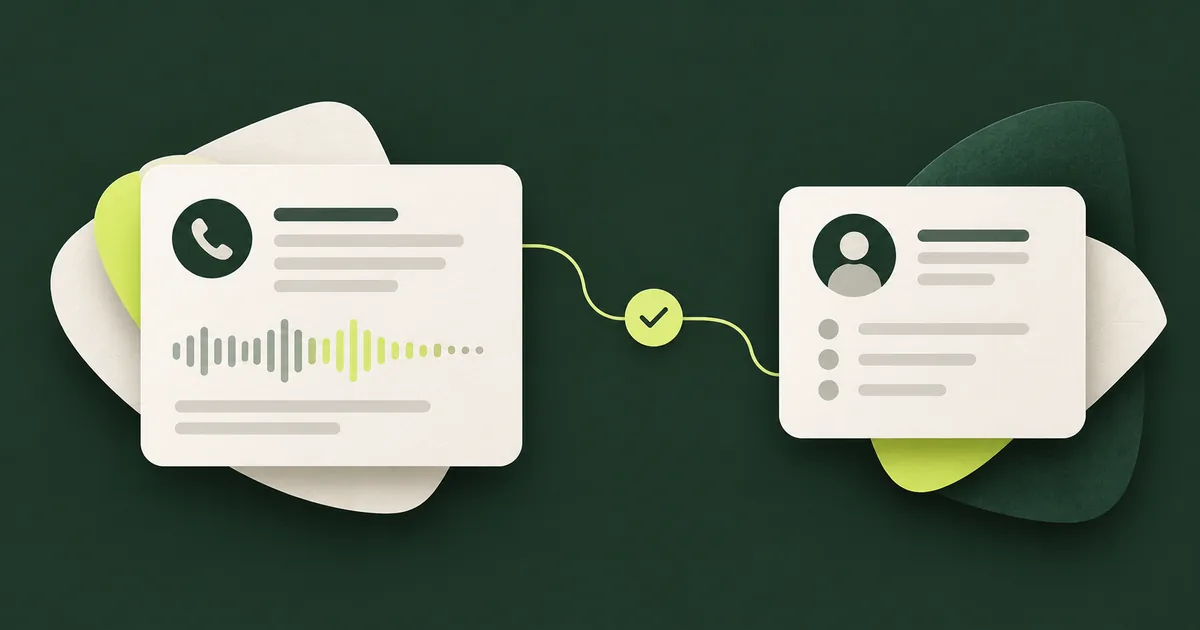
CRM integration for call evaluation connects a conversation with the lead, contact, ticket or opportunity it concerns. That lets a reviewer compare what was discussed with what happened next, rather than leaving QA findings in a separate report.
The difficult part is making the connection reliable. A matching phone number, a successful write and an authorized account change each answer a different question.
Define the Records and Events You Need
Start with one workflow. For inbound sales qualification, the useful records might be a lead, a call activity and a confirmed meeting. For support, they might be a contact, a ticket and the result of an approved account action.
Write down which system owns each fact. Keep the call identifier, client identifier, record identifiers and event times so the relationship can be traced. Avoid copying an entire customer history when a limited set of fields is enough for the evaluation.
Confirm the exact CRM, required permissions and supported operations. “CRM integration” does not establish that every connector, custom field or write action is available.
Match the Record Without Guessing Identity
Phone numbers, email addresses, meeting details and source identifiers can help find candidate records. Shared numbers, duplicate contacts and multiple open opportunities can make the result ambiguous.
Define what happens when more than one record matches. Prefer review or a safe unresolved state over attaching evidence to the wrong customer. Track matching quality before trusting downstream coaching or attribution reports.
Matching a record is not customer authentication. Before revealing information or changing an account, the workflow must satisfy its separate verification and authorization requirements. An incoming phone number alone does not establish permission.
Separate Proposed Writes From Confirmed Actions
An AI caller may request a CRM update or booking. The application should validate the allowed fields and action parameters, then record the result returned by the connected service.
| State | What the record means |
|---|---|
| Proposed | The system intends to perform an action |
| Submitted | A request was sent |
| Confirmed | The destination verified completion |
| Failed | The destination returned a known failure |
| Uncertain | The outcome must be reconciled before a safe retry |
For a hypothetical timeout, the write might have succeeded even though its response was lost. Use a stable operation identifier and destination reconciliation where supported to prevent duplicates. The customer-facing statement should reflect the known state, not assume success.
Link QA to Outcomes Without Confusing Cause
Compare reviewed call behaviors with confirmed meetings, attended meetings, ticket resolutions and later deal events. Keep the reporting window explicit. An open opportunity is not necessarily a loss, and a booked meeting is not a completed sale.
If several calls or contacts contributed to a deal, define the attribution method and show unmatched records. A relationship between a call score and revenue is a hypothesis worth investigating, not proof that the score caused the sale. See call recordings to revenue insights.
Set Retention by Record Type
For activities covered by the Telemarketing Sales Rule, the current 16 CFR § 310.5 generally requires specified records to be kept for five years from production, unless otherwise specified. Have the applicable records, exceptions and responsibilities reviewed for your operation.
That provision should not be reduced to “keep every call recording for five years.” Recordings, consent evidence, call details, QA results and CRM notes may have different requirements. Map retention, access and deletion or preservation procedures to the actual record types rather than a single blanket setting.
Test the Integration With Failure Cases
Include duplicate contacts, missing records, revoked permissions, delayed events and repeated delivery of the same event. Verify that a client cannot access another client's records. Check that failed writes remain visible and do not become successful outcomes in reporting.
Also test updates that arrive after the call. A meeting cancellation or reopened support ticket may change the business outcome without changing the original conversation score.
Bring this event map to a discussion of TrackAgent integrations. Confirm the actual connector and actions in scope, then use the QA framework to decide how their results should affect review.
Frequently Asked Questions
Should QA overwrite customer notes automatically?
Only within explicitly approved fields and permissions. Separate generated observations from verified customer facts, and keep a trace of automated changes.
Is a successful CRM update proof the call went well?
No. The update may be technically successful but contain the wrong information. Evaluate the content and authorization as well as the write result.